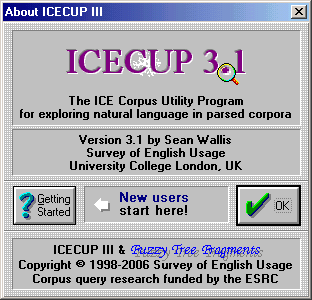
ICECUP 3.1 has been released.
A sampler for ICE-GB Release 2 and ICECUP 3.1 is available from
this page.
You can play sound recordings by downloading and installing the
sound add-on package (100MB).
| NEW! |
Optional γ (post-release) update
of ICECUP 3.1. The latest version contains some useful improvements
and bug fixes. |
| |
ICECUP IV β release |

Our beta programme continues for the Next
Generations Tools Project. We invite linguists to contribute
to the development of cutting-edge corpus linguistics tools by participating
in this beta programme. Click here
to register by email.
64bit note: ICECUP 3.1
is a 16bit program (as is its installer), and has run successfully
on PCs running anything from Windows 3.1 to 7. It runs
fine on 32bit Windows 7 on 64bit hardware.
Unfortunately, at present 64bit versions of Windows will
not run ICECUP directly. If you wish to run ICECUP 3.1
under 64bit Windows, we suggest you investigate using Microsoft
Virtual PC. For more information see this
blog. Unfortunately we have not been able to test this,
so if you succeed or fail do let
us know!
|
Sample Corpora also available for download:
- ICE-GB Release 1 and ICECUP 3.0
(superseded).
- DCPSE Release 1 and ICECUP
3.1.
|

Sample corpus + ICECUP 3.1.
A 'ready-to-run' package containing ten texts from ICE-GB,
software, indexes and revised help files.
More information
By downloading the sampler you are agreeing to our
standard terms and conditions (in summary: don't breach
our copyright or those of our contributors).
| Date of release |
zip |
exe |
expanded |
| 19 July 2006 |
3.32MB |
3.39MB |
~10MB |
|
| How to install |
Use the stand-alone
executable ('exe') version if you have problems
with 'zip' files. Windows ME, XP etc have zip support
built into Windows.
- When downloading, click Open.
The executable will create a set of files in a temporary
directory.
- Run the Install program
in the temporary directory. This will install all
necessary files in two directories, one for the corpus
and one for the software. You may change these from
the default settings. Note that by default it creates
a directory called c:\ICE and places
the corpus in a subdirectory of ICE.
- The install process creates
entries in the Start Menu in a subfolder called
'ICE Corpora'.
- When the install process finishes
ICECUP will start.
- NB. If you
have problems installing, try pressing Start!
instead. This will run ICECUP from the current location.
Full instructions on installing the program are given
in the supplied Help file in the package.
With the compressed zip file
version you can either expand into a temporary
directory as above, or, with many modern zip programs,
simply install directly. |
| How to uninstall |
| To remove the
software, delete the two directories you installed the
software into, and remove entries from the ICE Corpora
subfolder. You do not need to do anything else. |
|
|

Sample Sound
Add sound to the ICE-GB sampler by downloading and
installing these files. This package contains the sound for
the 5 spoken texts of the ICE-GB sampler plus alignment files.
Note that these files are very large and downloading may
take some time!
| How to install |
First, download
the ICE-GB sample corpus and
extract the files to a temporary directory.
Then download the Sample Sound
files and extract them to the same temporary directory.
Files will be placed within the "ice-gb-s"
subdirectory. Say yes if asked whether you should overwrite
files.
Then run "install.exe"
to install the software as above. The installer detects
the audio files and installs them. |
|
|
| 
γ Gamma patch (recommended)
You can download the very latest (post-release) version
of ICECUP 3.1 by downloading and installing these files.
This release includes a number of user interface enhancements
over the version on the CD derived from the next
generation tools research.
| Date of release |
zip |
exe |
expanded |
| 16 October 2009 |
521KB |
589KB |
1.4MB |
|
| How to install |
The package
contains two files - the ICECUP program and the button
definition file in the 'icedata' subdirectory. To install,
simply locate the existing versions and copy these files
over. |
|
|

ICECUP 3.1 Help (Windows Help).
October 2008 - with γ
updates
Full help for ICECUP 3.1. Includes gamma revisions since
release.
| Date of release |
zip |
exe |
expanded |
| October 2008 |
1.73MB |
1.79MB |
2.1MB |
|
Windows Vista note:
This type of "Win32hlp" help file is blocked
by Vista by default. Microsoft has 'helpfully' ceased to support
its own previous Help system in Windows Vista and you will
receive a pop-up warning message. You can make it accessible
by following the instructions provided in Vista. (Microsoft
Article) |
|

Getting Started: Second Edition (PDF).
July 2006 Second edition of the Getting Started
booklet, updated for ICECUP 3.1, DCPSE and ICE-GB. This is
a printable file which is also included in the integrated
on-line help.

NB. To read and print this file you will need a copy of
the Adobe
Reader software which you can download from the
Adobe website.
|
|
| 
ICECUP IV β patch
If you have a copy of the ICE-GB R 2 corpus you can now
download the beta of ICECUP IV by downloading and installing
these files. This beta release is the result of the next
generation tools research. A full release of ICECUP IV
is planned for this summer.
| Date of release |
zip |
exe |
expanded |
| 10 June 2008 |
605KB |
673KB |
1.7MB |
|
Alternatively, go to the ICECUP
IV download page to download an ICE-GB sample corpus package
containing ICECUP IV.
| How to install |
| Follow
the instructions (above) to install
the sample corpus. Then install ICECUP IV. You can set
up a program short-cut or menu item yourself. The
package contains two files - the ICECUP4 program and
the button definition file in the 'icedata' subdirectory.
Install ICECUP IV in the same location as ICECUP 3.1.
ICECUP IV is compatible with ICE-GB R2. |
|
|

Getting Started with ICECUP IV (PDF).
New version 4.01 June 2008
Getting Started guide to ICECUP IV and companion to
the ICECUP IV β. Includes notes about the current release
(above).
This is a printable file which is also included in the integrated
on-line help.

NB. To read and print this file you will need a copy of
the Adobe
Reader software which you can download from the
Adobe website.
|
|
To participate in the beta reviewing programme, please click here.
You will be notified as new versions are posted on the website.
To send bug reports, comments etc, please click here.
This page last modified
12 June, 2013
by Survey Web Administrator.