ROYAL FREE HOSPITAL MEDICAL LIBRARY
   UCL LIBRARY SERVICES
UCL logo

Medical Library home

About us

Resources

Services

- Borrowing
- Training and support
- Inter-library loans
- Facilities


Information for
Researchers
NHS staff

Teaching staff

Information about
Other libraries
Passwords


Facilities

Study and research areas

Computing facilities

Printing


Scanning

Photocopying

Binding


Computing facilities

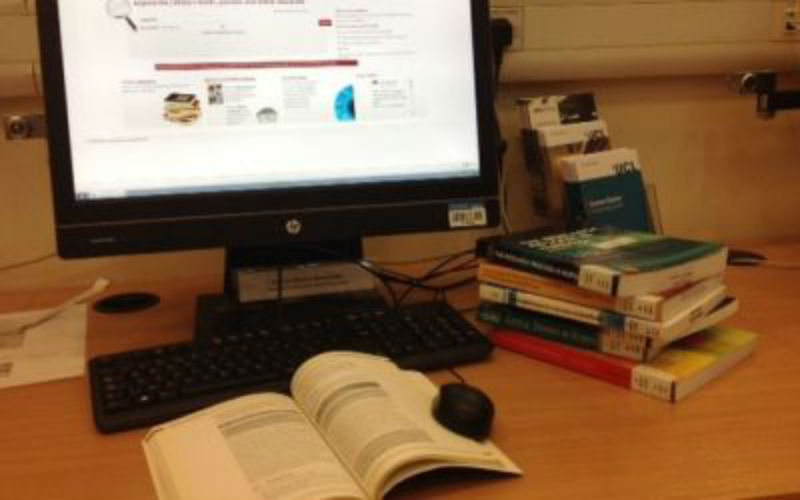
Most of the Library’s computers are accessible by both NHS and UCL users. A few PCs are available on the ground floor, but most are situated in the Training & Electronic Study Area (TESA) on the first floor and the E-learning Zone in the basement. The E-learning Zone (ELZ) contains 20 PCs, with priority for users of e-learning packages. If you wish to use computers in a quiet area, the Quiet Electronic Study Area (QESA) is available through the Quiet Study Area on the 1st floor. The QESA has 4 UCL Medical School PCs and 4 NHS PCs.

Information about accessing e-learning resources for both NHS and UCL users is available.

The TESA is open:

09:00 - 22.00* Monday to Friday
09.00 - 17.00 Saturday

*It may occasionally be necessary to close at 18.45 due to staff absence

The ELZ is open:

09:00 - 18.45* Monday to Friday

Computers for UCL staff and postgraduate students based at the Royal Free Campus

Users with local accounts on the MEDSCH domain can log into most of the library PCs on the ground floor and all of the PCs in the TESA as normal with their MEDSCH username and password. To log in to the PCs in the Elearning Zone or the 'Pod' area of the ground floor, follow these steps:

  1. Log in to the Windows login screen with the details below:
    username: medschool-lib
    password: medschool
    domain: RFHNHST
    This connects the PC with the MEDSCH remoste desktop and will display another login screen.
  2. Log in with your MEDSCH username and password.

Computers for UCL undergraduate students

As the PCs in the Medical Library are not part of a central UCL IS cluster, login procedures for students are slightly different to in other cluster rooms. To log in follow these steps:

  1. Log in to the Windows XP login screen with the details below:
    username: ucl
    password:
    domain: MEDSCH
    This connects the PC with the central IS computers and will display a green screen displaying a “No eating and drinking” sign.
  2. You should automatically be asked to enter your IS UCL userid and password. If not, click the Start button, choose Programs then choose UCLUSERS. Login with your UCL userid and password, you will now have your normal desktop displayed and have access to your work.
  3. Remember to log out twice when leaving the PC.

Please remember to choose the correct printer before sending a job.

There are 4 UCL Myriad PCs located on the ground floor of the library between the stairs and the photocopier. Log in to these with your UCL userid and password.

Computers for NHS staff

NHS staff can access their computer account via the PCs in the library.

On PCs in the Elearning Zone, 'Pod' area of the ground floor of the library and the 4 NHS PCs in the QESA, log in with your normal NETServer account details.

To log in to other PCs on the ground floor of the library or in the TESA, follow these steps:

  1. Connect to the NHS network by logging in with the following details
    Username: rfhnhst
    Password:
    Domain: MEDSCH
  2. After logging in, you will automatically be presented with your normal NHS logon screen. Log in again with your NETServer account details. You will now see your normal desktop and have access to your work saved on the servers.

Please remember to logout twice when leaving the PC.

PLEASE NOTE that due to Trust IT restrictions, it is no longer possible for Trust users to access their USB drives from computers in the TESA or most of the computers on the ground floor of the library. NHS encrypted USB drives may be accessed from the NHS computers in the 'Pod' area on the ground floor, computers in the Elearning Zone and the 4 NHS PCs in the QESA.

Dedicated PCs for electronic library resources access
Four PCs situated on the ground floor of the Medical Library are available to all registered users of the library for accessing electronic library resources only. Please see the e-journals, e-books or databases pages for more details.

Printing

Currently black and white printing is available for UCL students. Send the print job to the printer 'ClusterMonoA4'. You then need to log in to a print release station located beside the printers in the TESA or on the ground floor of the library to send your print job to that printer. Credit will then be debited from your account. Printing is currently charged at 5p per sheet. Please see the ISD printing web pages for more information.

Printing is not available for NHS users, although journal content may be printed out when logged in to one of the PCs dedicated for electronic library resources.

Printing is not currently avialable for MEDSCH users.

If you require colour printing, please ask at the issue desk.

Scanning

We have a public scanner that can used be used by registered members of the library. This is situated near the photocopier.


Which file formats are supported?
The PC connected to the scanner can deal with most image formats, including JPEG, GIF and PDF.

How can I get documents scanned?
Detailed instructions on how to use the scanner are located next to the scanner. Please contact Caetano Joannes (x38565) if you still require further assistance.

How much does it cost?

Scanning

free

Colour printing - A4 plain paper

70p

Colour printing - A4 photo glossy paper

£1.00

How can I save my scanned files?
You will have to bring a USB memory stick in order to take your scanned documents with you, as there is no network access from the PC attached to the scanner.


This page last modified 8 February, 2013 by Medical Library, Royal Free Hospital


Medical Library
Royal Free Hospital
Rowland Hill Street
Hampstead
NW3 2PF

020 7794 0500 x33202
rlibrary@ucl.ac.uk

Location and opening hours


Training calendar


University College London - Gower Street - London - WC1E 6BT - Telephone: +44 (0)20 7679 2000 - Copyright © 1999-2005 UCL